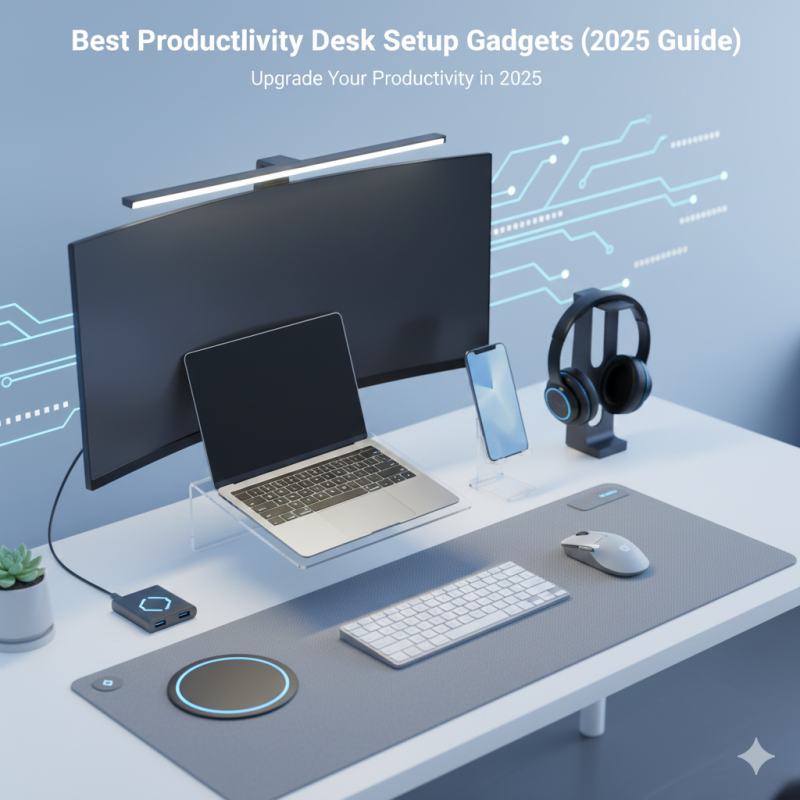
Best Productivity Desk Setup Gadgets: Transform Your Workspace in 2025
Upgrade your workspace in 2025 with the best desk setup gadgets for productivity — smart accessories, organization tools, and tech essentials to boost focus and efficiency.
Introduction
A productive desk setup is no longer a luxury — it is a necessity. Whether you're working from home, studying, running a small business, or building your online brand, the right tools can significantly boost your focus, comfort, and efficiency. With so many affordable and powerful gadgets available in 2025, anyone can build a clean, modern, and high-performance workspace.
This guide highlights the best productivity desk setup gadgets that help you stay organized, eliminate distractions, and work smarter every day. All recommended items are affordable, easy to use, and suitable for beginners and tech enthusiasts alike.
Best Productivity Desk Setup Gadgets (2025)
Ergonomic Desk Lamp With Adjustable Brightness
Good lighting directly affects your energy, mood, and productivity.
An adjustable LED desk lamp with warm and cool modes ensures optimal visibility for reading, typing, or working late at night.
Why it's essential:
- Reduces eye strain
- Adjustable color temperature
- Touch controls
- Minimalist design
A desk lamp instantly makes your workspace feel more professional.
Wireless Charging Desk Pad
A large leather or silicone desk pad with built-in wireless charging keeps your workspace clean and organized.
Benefits:
- Protects your desk
- Adds a premium look
- 10W–15W fast charging integrated
- Non-slip base
Perfect for people who want a clutter-free and modern desk.
Laptop Stand (Adjustable Aluminum)
An elevated laptop stand improves posture by aligning your screen at eye level.
Advantages:
- Reduces neck and back pain
- Better airflow for your laptop
- Foldable and portable
- Helps keep cables organized
Ideal for students, remote workers, and creators.
Mechanical or Silent Keyboard
A great keyboard can dramatically improve your typing speed and comfort.
In 2025, compact mechanical and low-profile keyboards are trending.
Why it matters:
- Smoother typing feel
- Better accuracy
- Ergonomic wrist position
- RGB or minimalist options
Your keyboard is the heart of your setup — investing in it pays off daily.
Ergonomic Vertical Mouse
A traditional mouse can cause wrist strain over time.
A vertical mouse supports a natural hand position.
Benefits:
- Reduces wrist pain
- Improves comfort for long sessions
- Wireless and rechargeable
- Smooth precision tracking
Perfect for productivity and extended computer sessions.
LED Light Bars for Monitor
LED monitor light bars illuminate your desk without causing eye strain or screen glare.
Key features:
- Auto-dimming
- USB powered
- Space-saving design
- Enhances night productivity
A single light bar can completely transform the vibe of your desk setup.
Noise-Canceling Headphones (Budget-Friendly)
Staying focused is difficult in a noisy home or office.
Affordable ANC headphones block distractions and improve deep work.
Why it’s useful:
- Concentration boost
- Clear sound
- Great for calls and Zoom meetings
- Ideal for shared spaces
A productivity essential for remote workers.
Under-Desk Cable Management Tray
A messy desk creates mental clutter.
A simple cable tray hides your extension cords, adapters, and chargers.
Advantages:
- Clean, professional look
- Prevents cables from tangling
- Easy installation
- Safer and more organized workspace
Combined with Velcro straps, your workspace becomes cable-free.
Desk Timer (Pomodoro Timer)
Time management boosts productivity more than any other gadget.
A desk timer helps you focus in 25-minute sessions with short breaks.
Benefits:
- Reduces procrastination
- Improves discipline
- Visual, easy-to-use
- Perfect for tasks, study, or content creation
A powerful gadget for building daily habits.
USB-C Docking Station
A docking station expands your laptop into a fully functional workstation.
Includes:
- USB ports
- HDMI
- SD card reader
- Ethernet
- Power delivery (PD charging)
Great for creators, video editors, and multitaskers.
Desk Drawer Organizer
Organization equals productivity.
A drawer tray helps you keep pens, adapters, USB drives, and stationery in order.
Benefits:
- Saves time
- Anti-clutter
- Keeps essentials accessible
A small investment that makes your workspace cleaner.
Portable Mini Humidifier
Dry air causes fatigue and headaches.
A mini humidifier keeps the air fresh and improves breathing.
Why it's useful:
- Quiet operation
- USB powered
- Improves comfort in air-conditioned rooms
A subtle but effective productivity booster.
Smartphone Stand With Angle Adjustment
Instead of leaving your phone flat on the desk, a phone stand:
- Keeps notifications visible
- Improves video call angles
- Helps with multitasking
- Ideal for recording hands-free videos
Perfect for creators, students, and professionals.
How to Build a Productivity Desk Setup
Prioritize Comfort First
A productive environment starts with ergonomics:
- Correct posture
- Eye-level screen
- Comfortable mouse and keyboard
Comfort reduces fatigue and keeps you focused longer.
Optimize Lighting
Lighting affects mood, concentration, and sleep.
Choose LED lamps, warm ambient lighting, or a monitor light bar to create a balanced workspace.
Keep Your Desk Minimalistic
The more items on your desk, the more mental clutter.
Use organizers, trays, and cable management to maintain a clean environment.
Choose Multi-Function Gadgets
Wireless chargers, docking stations, and combo gadgets reduce clutter and improve functionality.
Make It Aesthetic but Practical
A beautiful workspace increases motivation.
Choose matching colors — black, white, or blue — and minimalistic accessories.
FAQ – Best Productivity Desk Setup Gadgets
What is the most important productivity gadget?
A laptop stand is often the best starting point because it improves posture and prevents neck pain.
Do I need a mechanical keyboard for productivity?
Not required, but mechanical or low-profile keyboards improve speed, comfort, and typing accuracy.
Are wireless gadgets better for a clean desk?
Yes. Wireless mice, keyboards, and chargers help keep your workspace clutter-free.
What is the best low-cost upgrade?
A monitor light bar or a vertical ergonomic mouse — both significantly improve daily comfort.
How do I reduce cable mess?
Use a cable tray under the desk, Velcro straps, and a USB-C docking station to centralize connections.
Conclusion
A productive desk setup doesn’t require expensive equipment. With the right combination of lighting, ergonomics, organization tools, and smart accessories, you can create a clean, modern, and motivational workspace that supports your goals.
In 2025, the best productivity gadgets are affordable, efficient, and beginner-friendly. Whether you're working, studying, running a business, or creating content, upgrading your desk setup can transform your focus, comfort, and performance.
At AnadjyTech, we help you find the smartest tools to work better — every day.
The Smart Way to Tech.